
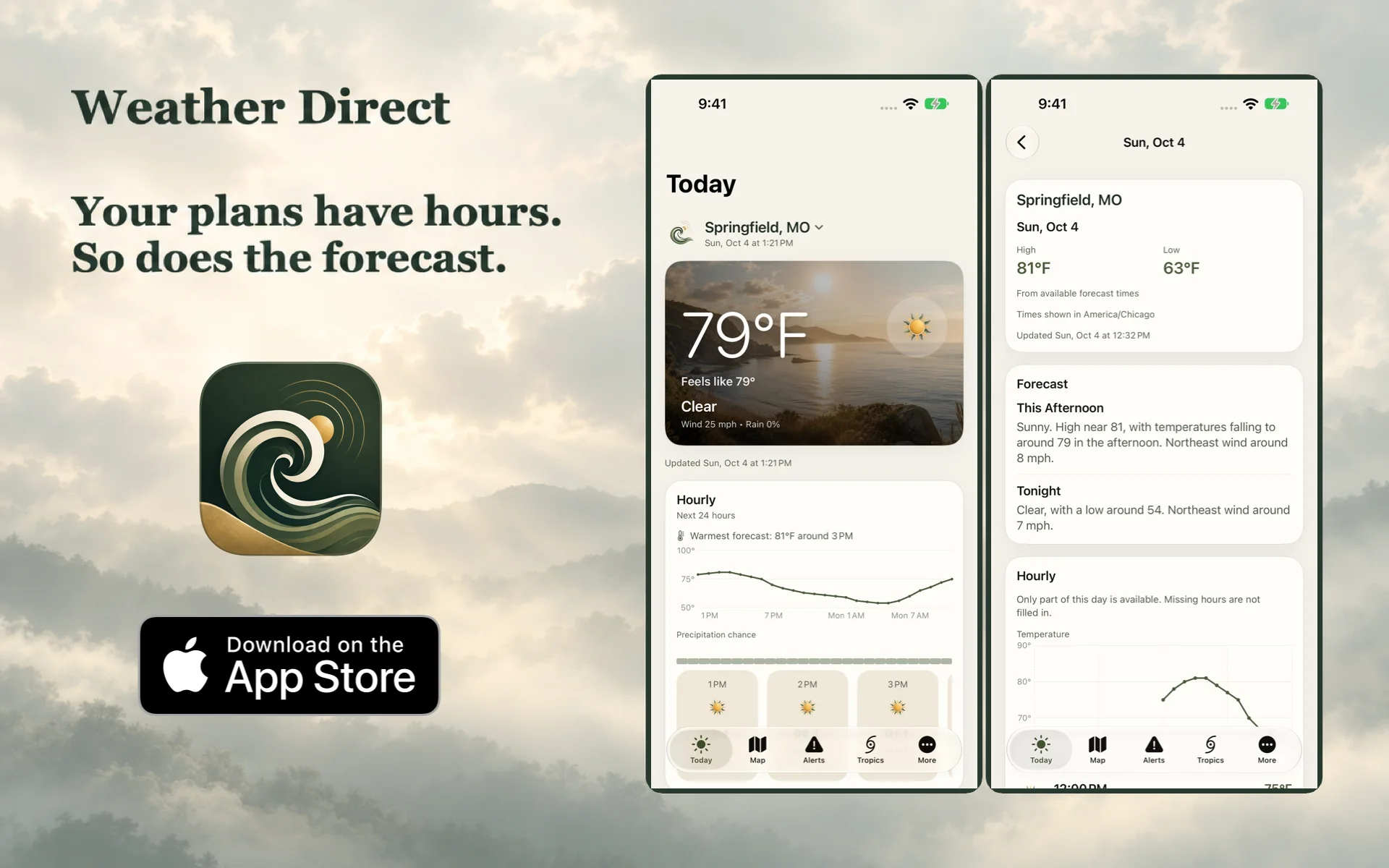
A useful weather check answers a few ordinary questions: what conditions are being reported, what might change during the hours you care about, and how the next few days look. It should not require a tour through unrelated stories first.
Weather Direct puts current conditions, hourly detail and a seven-day forecast in a straightforward interface. Its weather features are free, with no ads, required account or subscription. The useful part is the weather, including enough context to understand what you are looking at.
Start with the place and the period
Before reading a temperature, check the selected location. A forecast for the airport, the town you searched for yesterday or a destination several hours away may be perfectly valid and still answer the wrong question.
Then check the period. Current conditions describe the latest available conditions reported for that place. An hourly forecast concerns a future interval. A daily high is a summary for a day. Those numbers can differ without contradicting one another.
A weather screen can bring several kinds of information together. Temperature and wind observations, a calculated feels-like value and a forecast rain probability are not interchangeable measurements. In particular, a rain chance is forecast information, not an observation that rain is falling outside your door.
Use hours for the afternoon and days for the week
The hourly view is useful when the timing of a change matters. Look at the part of the day that contains your walk, journey or outdoor work. A day's general weather symbol cannot tell you everything about a particular two-hour window.
The seven-day view serves a different planning task. It gives you a broader outline for deciding which days deserve another look. As a plan gets closer, return to the relevant hours instead of treating the first weekly summary as a fixed appointment with the atmosphere.
Weather Direct's forecast times follow the selected location's time zone. If you are checking somewhere else, the displayed afternoon belongs to that place. Confirming the location and time zone is a small check that can prevent a surprisingly large misunderstanding.
Know which source supplied the forecast
Weather Direct uses the National Weather Service for U.S. forecasts and MET Norway for forecasts outside the U.S. The supported imagery and other weather sources depend on the region and the data involved.
That distinction deserves to stay visible. An official forecast source does not mean every item on every map follows the same delivery route, or that every supporting provider is a government agency. Coverage and source labels matter more than a blanket claim about where all weather data comes from.
Provenance gives you somewhere to look when you need to understand a result. It does not make the forecast certain, eliminate changes between updates or guarantee that every location has the same detail. A clean interface should make those boundaries easier to see.
A timestamp belongs to the data
Weather Direct can retain previously fetched conditions and forecasts during a temporary connection problem. That is useful when a network is unreliable, provided the cached information keeps its age.
An older forecast is still an older forecast. Reopening an app does not make it a new prediction. Likewise, a saved observation tells you what a source reported at its observation time, rather than proving conditions have remained unchanged since then.
Read the displayed update information before relying on a snapshot. A three-hour-old timestamp tells you the information is older; by itself it does not diagnose whether the cause is a connection, provider availability or the timing of a refresh. If freshness matters to the decision, seek a successful update or check the relevant source.
A short weather check that earns its space
- Confirm the location. Make sure the forecast belongs to the place you mean.
- Read the update time. Distinguish recently fetched information from a retained snapshot.
- Choose the useful period. Current conditions, the next few hours and the week ahead answer different questions.
- Check the source and coverage. A missing map layer is not evidence of clear weather.
- Return when the plan needs another check. A forecast can change; the earlier screenshot is not a promise.
That is the straightforward idea behind Weather Direct: make the forecast readable, keep its source and timing in view, and let someone get on with the thing they opened the app to plan.