You are almost out the door. Keys found, shoes on, one remaining question: what is the weather doing?
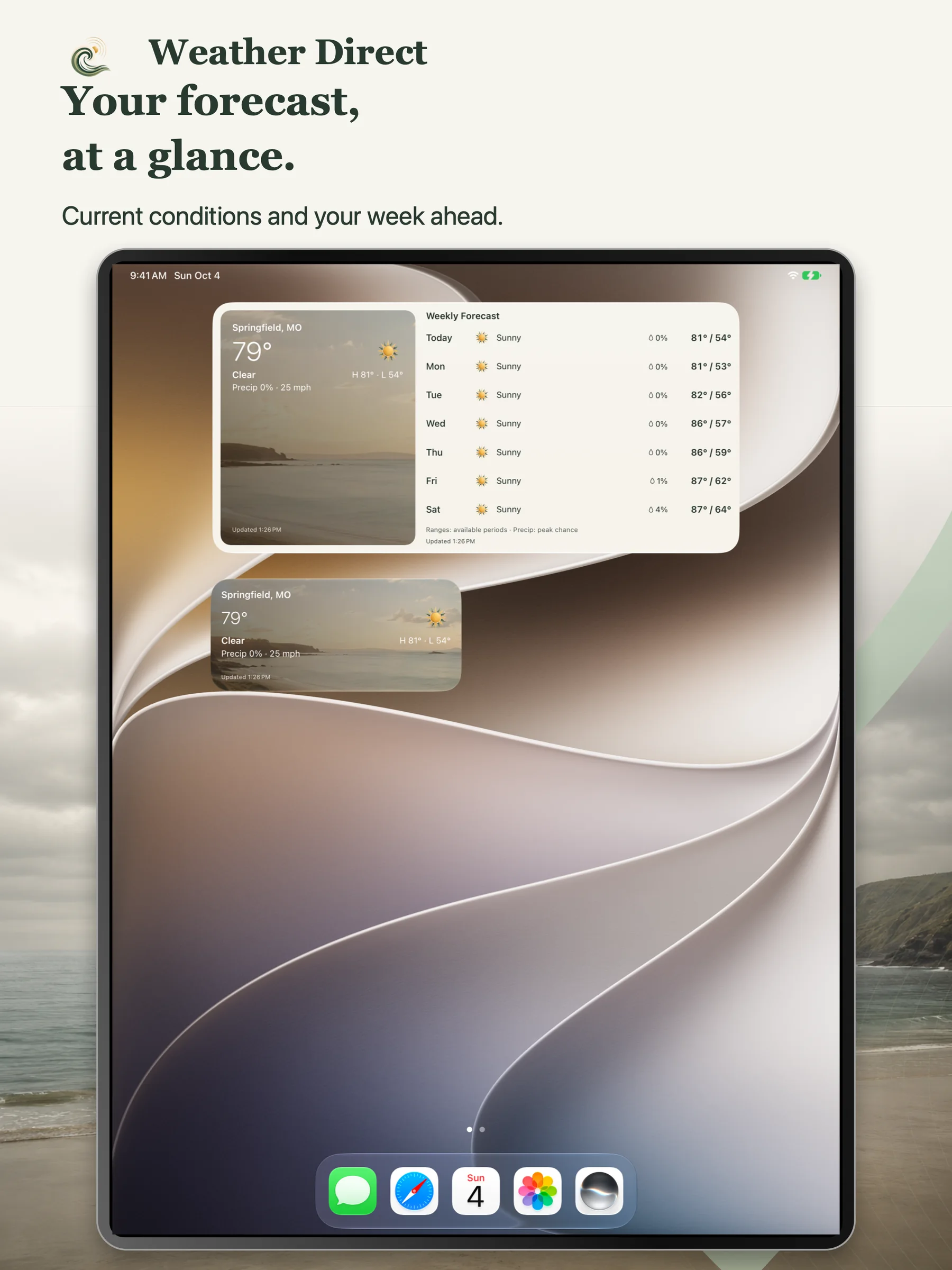
A quick look at your phone is often enough for that moment. Later, when you are deciding which day suits an outdoor project or whether the weekend looks promising, you want a little more room to look ahead. Weather Direct's Current Conditions and Weekly Forecast widgets put those two kinds of weather check on your iPhone or iPad.
Version 1.5, now available on the App Store, improves how those existing widgets handle refreshes and incoming forecast data. It is a practical update to something you may only look at for a few seconds. Those seconds still deserve some care.
A quick look now, a wider view of the week
The Current Conditions widget gives the immediate weather check its own place. It is available in a medium Home Screen layout and a rectangular Lock Screen layout. Choose the placement that suits where you already tend to look at your phone.
The point is simple: you can see weather information alongside the other things on your screen. Sometimes that is all the attention the question needs. When you want more detail, Weather Direct also has current conditions, hourly detail and a seven-day forecast inside the app.
The Weekly Forecast widget serves a different question. It gives you room to look across the coming days rather than stopping at the conditions right now. It supports a large Home Screen layout, with an extra-large Home Screen option on iPad.
That wider view can be useful when the plan is still flexible. Perhaps you are choosing a day for a walk, looking ahead to a weekend away, or deciding when to tackle something outside. You are comparing possibilities, with the understanding that forecasts can change as the day gets closer.
On an iPad, the extra-large format makes the week easier to take in as a whole. On a smaller screen, the Current Conditions widget offers a more compact check. The useful choice depends on the question you tend to ask and how much Home Screen space you want to give it. The weather already occupies enough conversation.
What version 1.5 improves
Getting weather information onto a widget involves more than drawing the forecast. The app needs to request data, handle the response and work within the device's refresh schedule. A weather source may be slow or temporarily unavailable, and an update may return only part of the information requested.
Weather Direct 1.5 improves background-refresh handling and the way those slow or unavailable sources are handled. It also improves preservation of forecast data when an update succeeds only in part. Instead of treating every refresh as an all-or-nothing event, the update gives more care to the information that is already available.
The release also includes retries for busy weather services and improved refresh diagnostics. These changes focus on the work behind the widgets, while the familiar Current Conditions and Weekly Forecast views remain the part you use.
There is an important limit to any claim about freshness: widget updates still depend on iOS or iPadOS scheduling, connectivity and the weather provider. Version 1.5 does not guarantee an exact refresh interval. Check the displayed update time when freshness matters, and open the app for a closer look.
The weather check can stay small
A widget is useful precisely because checking it can be a small part of your day. Look at the conditions, consider the week, and carry on with the thing you were actually planning.
For urgent weather information, keep official warnings and your established emergency-alert channels in place. Weather Direct displays available alerts inside the app; this version does not send weather push notifications.
Weather Direct's weather features remain free, with no ads, subscription or account required. An optional support tip is available for anyone who wants to contribute, and it unlocks no additional features.
If you already use the widgets, version 1.5 brings improvements to the data handling behind them. If you are trying Weather Direct for the first time, start with the view that answers your usual question: the conditions now, or the week ahead.