
The Gap Between 'Calculator' and 'Utility'
Almost every smartphone comes with a built-in calculator. For the vast majority of tasks—adding up a quick total or subtracting a discount—it is perfectly sufficient. It is fast, it is accessible, and it is already there. But there is a specific kind of friction that occurs the moment your needs move beyond simple arithmetic. This is the point where a tool that is 'good enough' suddenly becomes a bottleneck.
Have you ever found yourself in a situation where you needed to know exactly how many days are between today and a deadline, only to realize your calculator can't do date math? Or perhaps you're at a restaurant with a group, and you're trying to figure out the split while accounting for different tip percentages and a shared appetizer. Suddenly, the native calculator is no longer enough. You find yourself closing the app, opening a browser, searching for a 'date calculator' or a 'bill splitter,' and navigating through a series of ad-heavy websites just to get a single number.
This is the difference between a calculator and a utility workspace. A calculator performs a function; a utility workspace solves a problem. When we treat our phone's math tools as a modular toolkit rather than a single-function app, we eliminate the cognitive load of app-switching and the frustration of browser searching. We stop treating our phones like basic calculators and start using them as the high-powered utility hubs they were designed to be.
The Friction of the 'App-Switch'
In modern mobile usage, we often underestimate the 'switching cost.' Every time you leave an app to find a specific tool elsewhere, you aren't just spending seconds; you are breaking your flow. This is especially true for tasks that require precision, like financial planning or scheduling. When you have to jump from a calculator to a currency converter and then back to a notes app, the risk of a transcription error increases, and the time to completion doubles. You aren't just fighting the software; you're fighting your own focus.
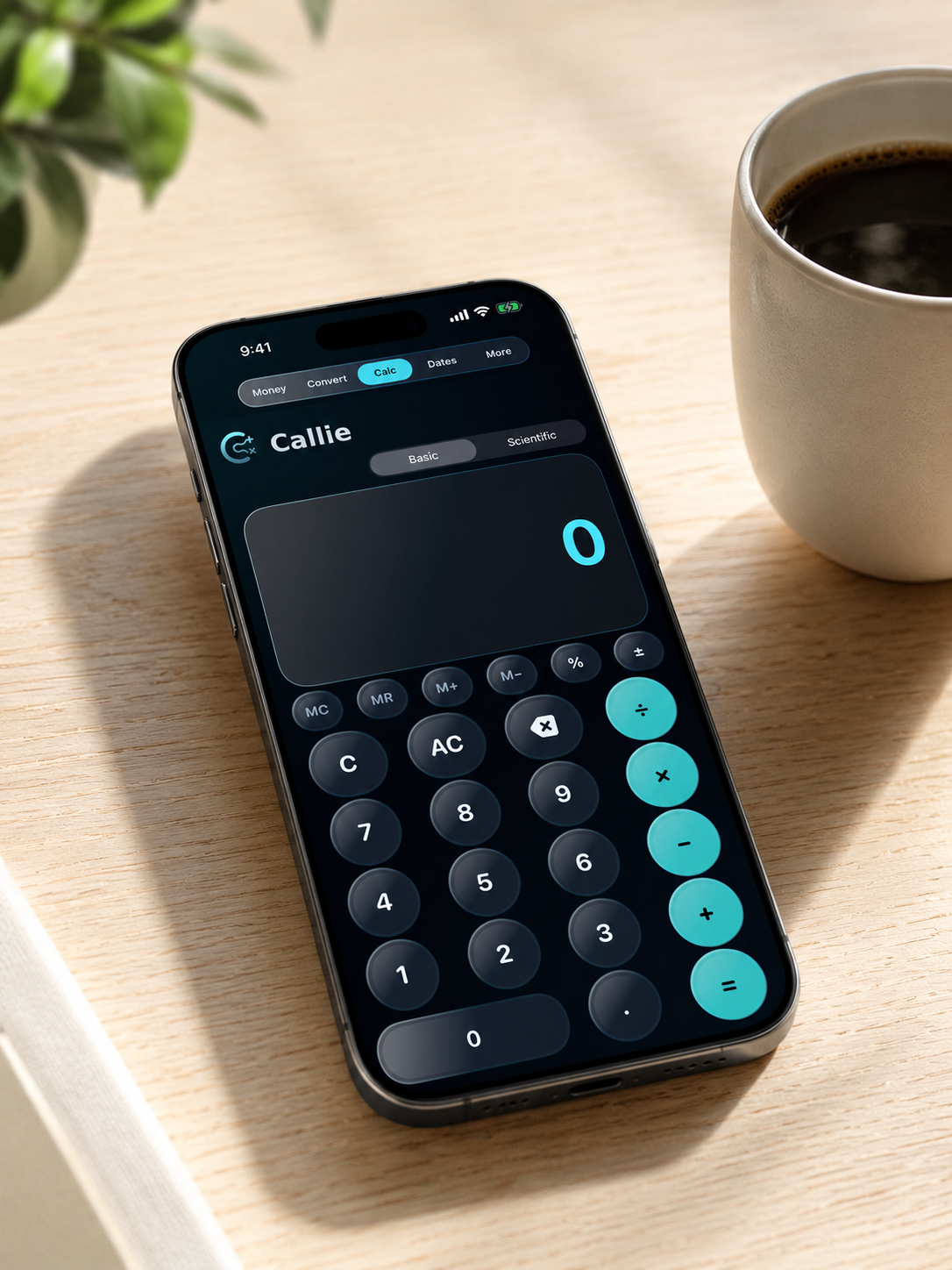
By integrating these high-frequency utilities into a single environment, Callie transforms these fragmented moments into a streamlined workflow. Instead of searching for a tool, you simply select the module you need from a unified navigation bar. This approach aligns with the broader philosophy of Quiet Software—tools that stay out of your way until the exact moment they are needed, then provide the solution without noise. The goal isn't to give you more buttons to press, but to give you fewer steps to take.
The Modular Toolkit: Solving Real-World Problems
To understand why a utility workspace is superior to a basic calculator, we have to look at the specific 'friction points' where native tools typically fail. Callie was designed to address these exact gaps with dedicated, purpose-built modules that handle the logic so you don't have to.
1. Real-Time Currency Conversion
For the traveler, the remote worker, or the international shopper, a standard calculator is useless without a current exchange rate. Normally, this requires a trip to a search engine or a dedicated conversion app. Callie integrates real-time currency conversions directly into the workspace. This means you can convert a price in euros to dollars and immediately use that result in another calculation without leaving the app. It turns a three-step process (Search → Convert → Calculate) into a single, fluid motion. Whether you're checking the price of a hotel in Tokyo or buying software from a European vendor, the real-time data is already there, waiting for you.
2. The Date Calculator
Date math is one of the most common 'calculator gaps.' Whether you are calculating a project deadline, a lease expiration, or the number of days until a vacation, doing this manually is tedious and prone to error. The Date Calculator module allows you to add or subtract days from a specific date or find the exact interval between two dates instantly. It removes the guesswork and the need for a physical calendar, allowing you to plan your timeline with mathematical certainty rather than an estimate.
3. Unit Price Comparison
We've all been there in the grocery aisle: is the 12oz bottle for $4.50 a better deal than the 18oz bottle for $6.20? While you could do the division manually on a basic calculator, it's a clunky process that requires you to hold several numbers in your head at once. The Unit Price module is designed specifically for this comparison, allowing you to input the price and quantity for two different items to see the price-per-unit immediately. It's a tool for the optimizer who wants the best value without the mental gymnastics of manual division.
4. The Bill Splitter
Splitting a bill is rarely as simple as dividing the total by the number of people. There are tips to calculate, taxes to consider, and often, a few people who didn't order drinks or appetizers. The Bill Splitter module handles the complexity of percentages and individual adjustments in one screen, removing the social awkwardness and the math errors that come with trying to do it on a standard keypad. It turns a potentially stressful social moment into a quick, transparent transaction.
Why Integration Matters More Than Features
It is easy to think of these as 'extra features,' but the real value is the integration. When these tools live in one place, they begin to work together. You can use the currency converter to see the cost of a hotel in a foreign city, then switch to the date calculator to figure out the length of your stay, and finally use the basic calculator to budget your total trip—all within one app. This is not just about having more tools; it is about having those tools in the same room.
This modularity also reduces the 'digital clutter' on your home screen. Instead of having five different utility apps—a converter, a date tool, a tip calculator, a scientific calculator, and a basic one—you have one. This is a practical application of Digital Minimalism: reducing the number of entry points to your tools while increasing the capability of the tools themselves. By consolidating these functions, you reclaim the space on your device and the mental energy you usually spend searching for the right icon.
Precision Without the Clutter
Many 'all-in-one' apps fail because they try to do too much, resulting in a cluttered UI that feels overwhelming. The key to a successful utility workspace is maintaining a clean, focused interface. Callie uses a top-level navigation system that keeps each tool isolated. When you are in the Date Calculator, you aren't distracted by currency rates. When you are splitting a bill, the scientific functions are tucked away.
This design ensures that the tool remains 'quiet' until it is active. It provides the power of a professional toolkit with the simplicity of a basic calculator. This balance is critical for the average user who doesn't want to learn a complex piece of software but needs more than what the factory settings provide. You get the precision of a professional tool without the steep learning curve.
Moving Toward a More Capable Phone
Our phones are the most powerful tools we own, yet we often use them in the most limited ways. We accept the constraints of the default apps because they are 'good enough.' But 'good enough' usually means we've just grown used to the friction. We've accepted that we have to open a browser to find a currency rate or count days on our fingers because that's how it's always been. We have conditioned ourselves to accept a fragmented experience as the norm.
Upgrading to a utility workspace is about reclaiming that time and mental energy. It is about choosing a tool that is designed for the way we actually live—where math isn't just about numbers, but about dates, money, and value. When you remove the friction of the app-switch, you stop thinking about the tool and start focusing on the result.
If you find yourself constantly switching apps or searching the web for simple utilities, you aren't lacking a calculator—you're lacking a workspace. It is time to move beyond the basic calculator and equip your phone with a toolkit that actually matches the complexity of your day.
Experience the utility workspace for yourself.